Find your way around the PERIOPSIS Portal
Summary:
Find projects, incident work, reports, billing information, and account settings.
Before you start:
Sign in to the portal. Available sections and actions may depend on your role.
The Dashboard shows profile completion, active and draft projects, sample projects, existing projects, custom requests, and administration links.
Open the right workspace
- Select Dashboard to return to your account overview. Use Complete Profile if your details are incomplete.
- Select Projects. Use Search, Service Type, and Status to find a project.
- Select Details on a project card to review its service, status, area, package, dates, and customer information. On the dashboard, this option is labeled View Project.
- Select Open to enter the service workspace. From a project’s details page, select Open Project.
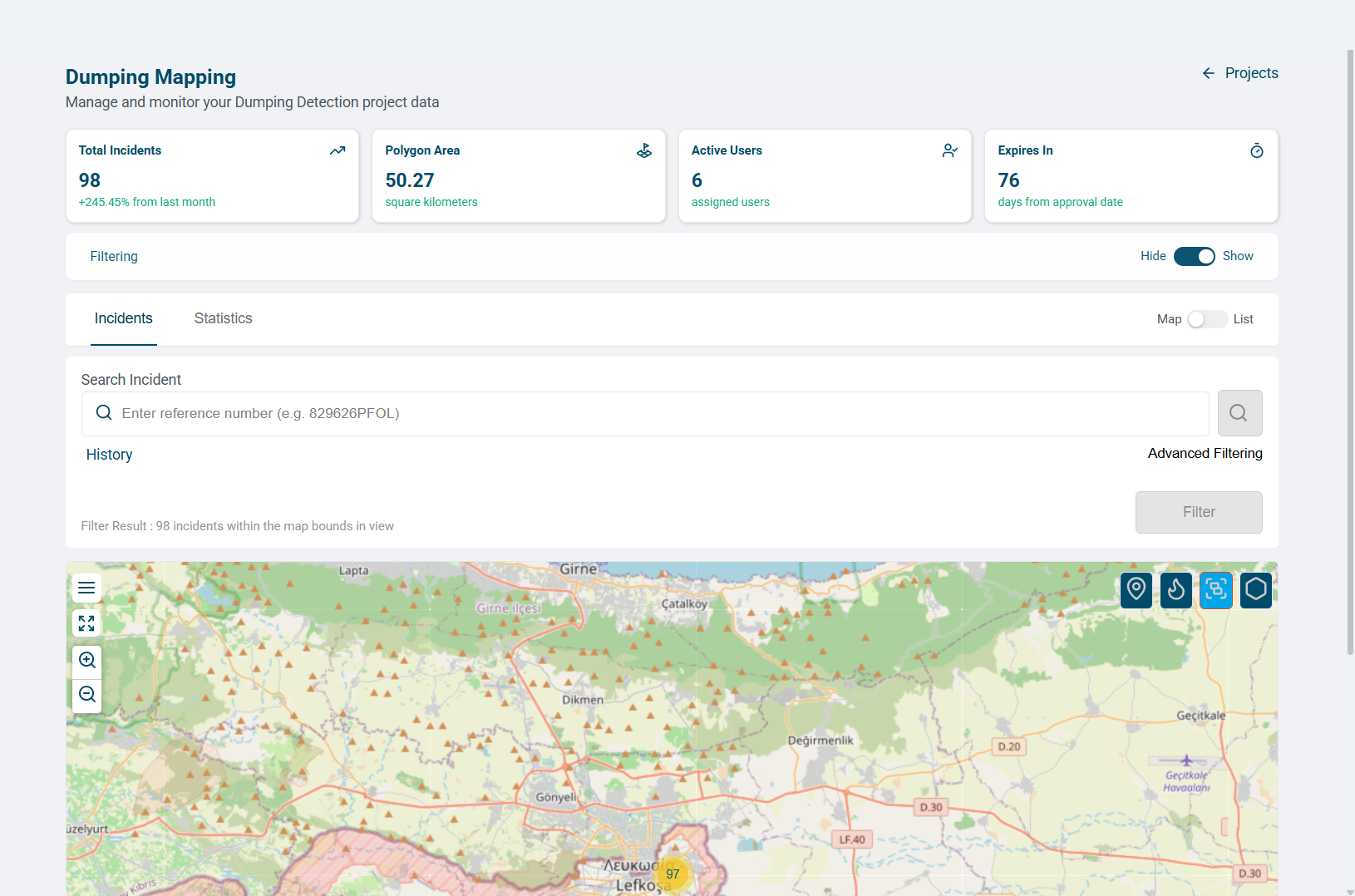
- In a dumping project, select Incidents for the map or list, or Statistics for charts and tables.
- Select Assignments in the sidebar to review incident work assigned to you or by you.
- Expand Reports for Investigation or Cleanup, or Billing for Quotations or Transactions.
- Select Profile to manage your details or User Admin to manage project membership.
Understand the assignment areas
The sidebar Assignments page tracks incident work. Manage Assignments in User Admin manages users and project roles.
If a section or record is missing, check the project, your role, and any active filters.