Explore sample projects before requesting a service
Summary:
Explore examples of dumping and swimming pool detection without creating a project.
Before you start:
Sign in and open Dashboard.
Open a sample project
- Find Sample Projects on the dashboard.
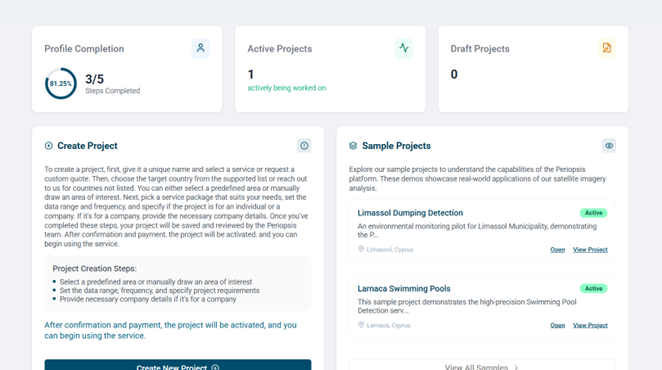
- Choose an example or select View All Samples to open the library.
- Select Details in the library to review project information. On the dashboard, this option is labeled View Project.
- Select Open to enter the sample’s service workspace.
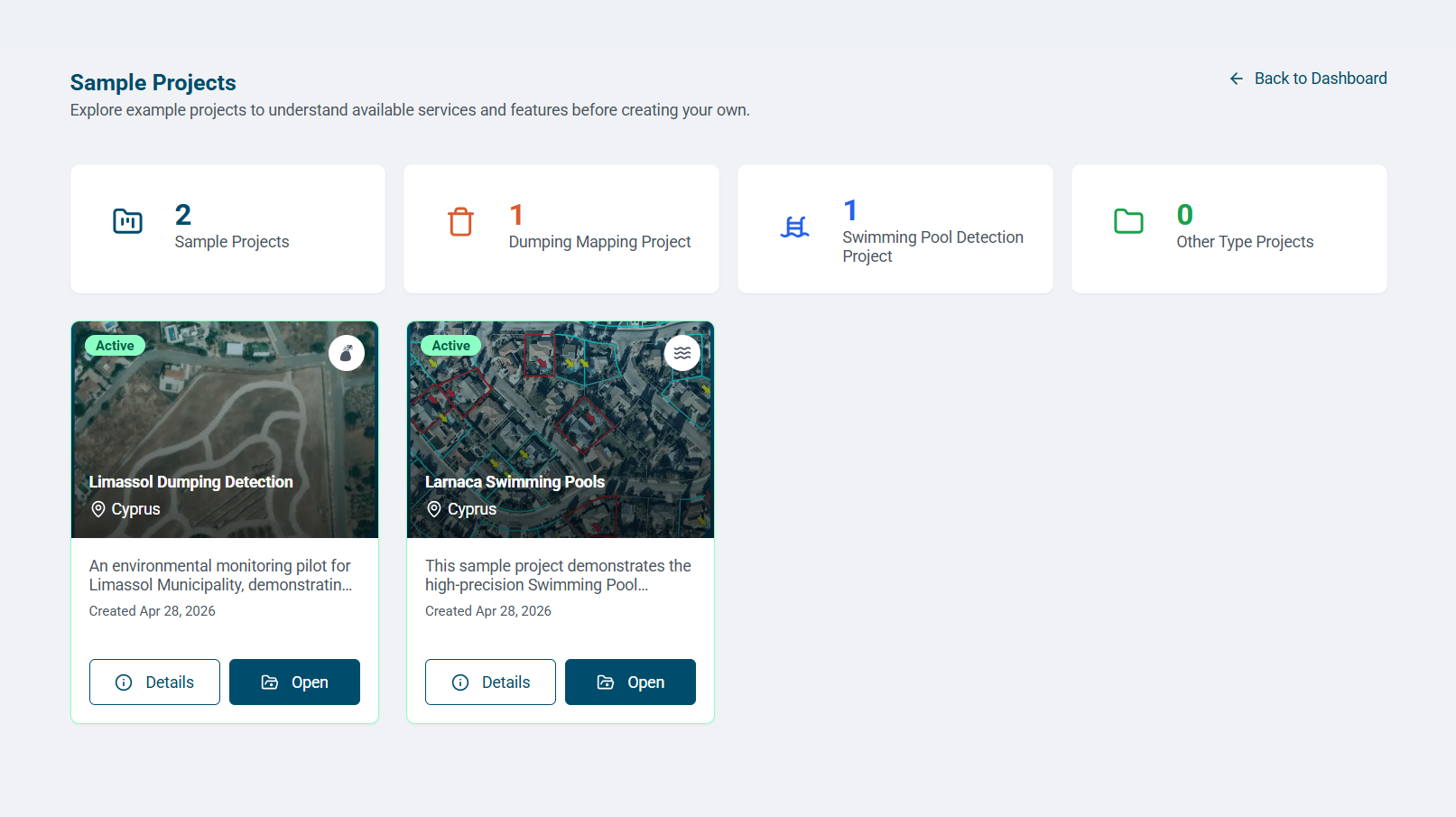
- Review its service, area, and summary information.
- Explore the map with the zoom controls. Expand numbered clusters and try the available basemap and layer controls.
- Select Back to Sample Projects to return to the library.
Compare the available controls
The swimming pool sample offers Street and Satellite basemaps, Heatmap and Cluster layers, zoom, and fullscreen. Other samples or operational projects may offer different filters, views, and actions.
Samples demonstrate the interface. Use your own project’s agreed service, coverage, and records for operational decisions.