Review an incident before assigning work
Summary:
Check detection evidence, status, and responsibility before deciding on the next action.
Before you start:
Open the incident from the project’s map or list.
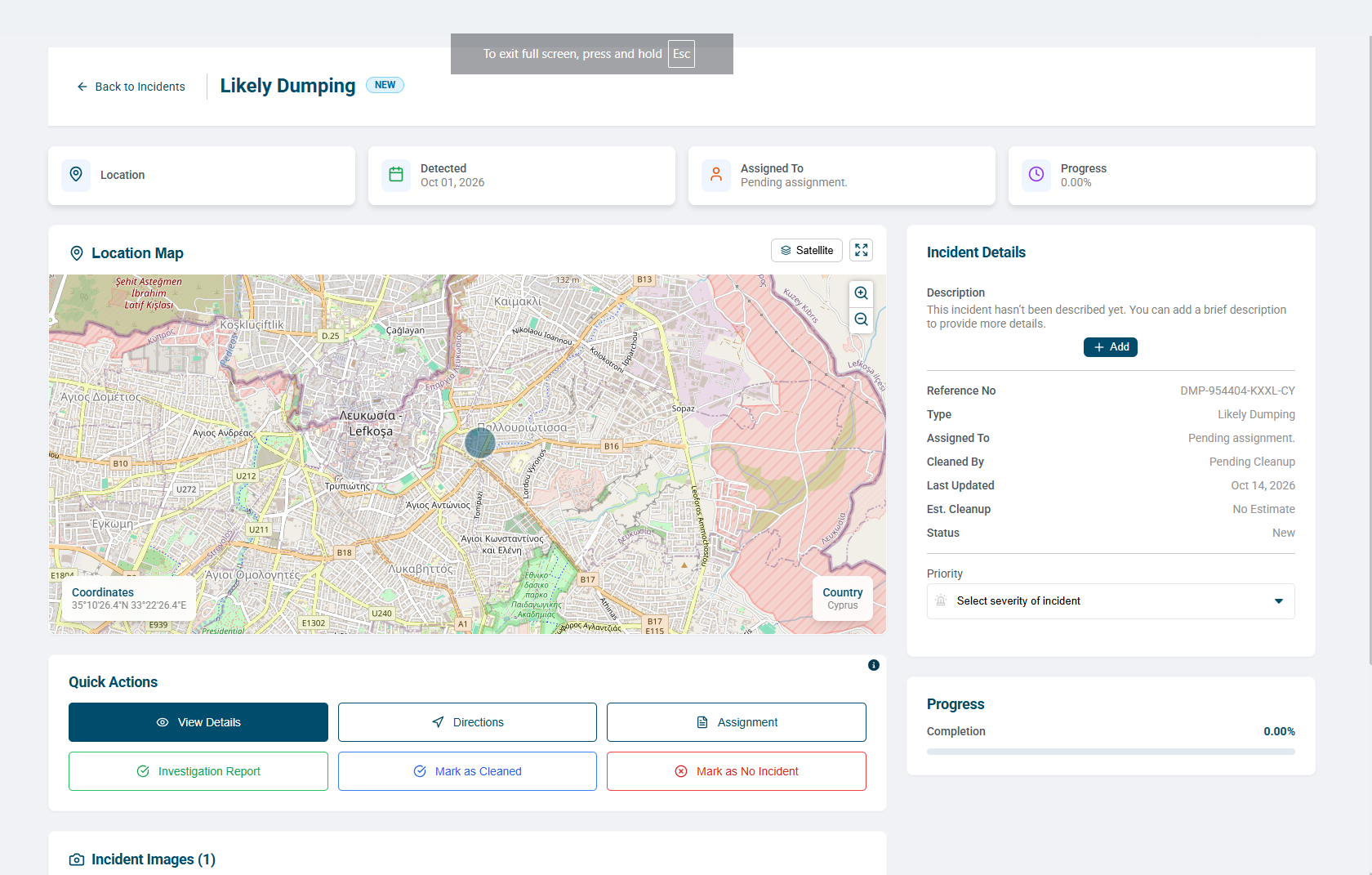
Review the incident page
- Check the incident type, Detected date, reference number, and location.
- Review Assigned To, status, estimated cleanup information, and progress to understand existing responsibility and work.
- Inspect Incident Images and their dates. Compare them with the detection date.
- Read Incident Details, including the description and priority.
- Select View Details for the fuller summary, including assignment and cleanup fields. It also provides a Google Maps link or QR code and Download Details for a PDF.
- Choose the appropriate next action: Assignment, Investigation Report, or Mark as Cleaned. Use Mark as No Incident when the reviewed finding is that no actual incident exists.
Confirm recorded outcomes
Confirm status and activity values on the incident page before treating work as complete. A missing value or Pending entry does not confirm completion.
Details of Actions explains the available controls; it is not an action history. Opening a record or downloading its summary does not record a site visit or cleanup.