Find the incidents assigned to you
Summary:
Find incident work, review the assignment, and open the incident page.
Before you start:
Sign in to the account associated with the assignment.
Find and open an assignment
- Select Assignments in the sidebar.
- Use Search Assignment to find a record.
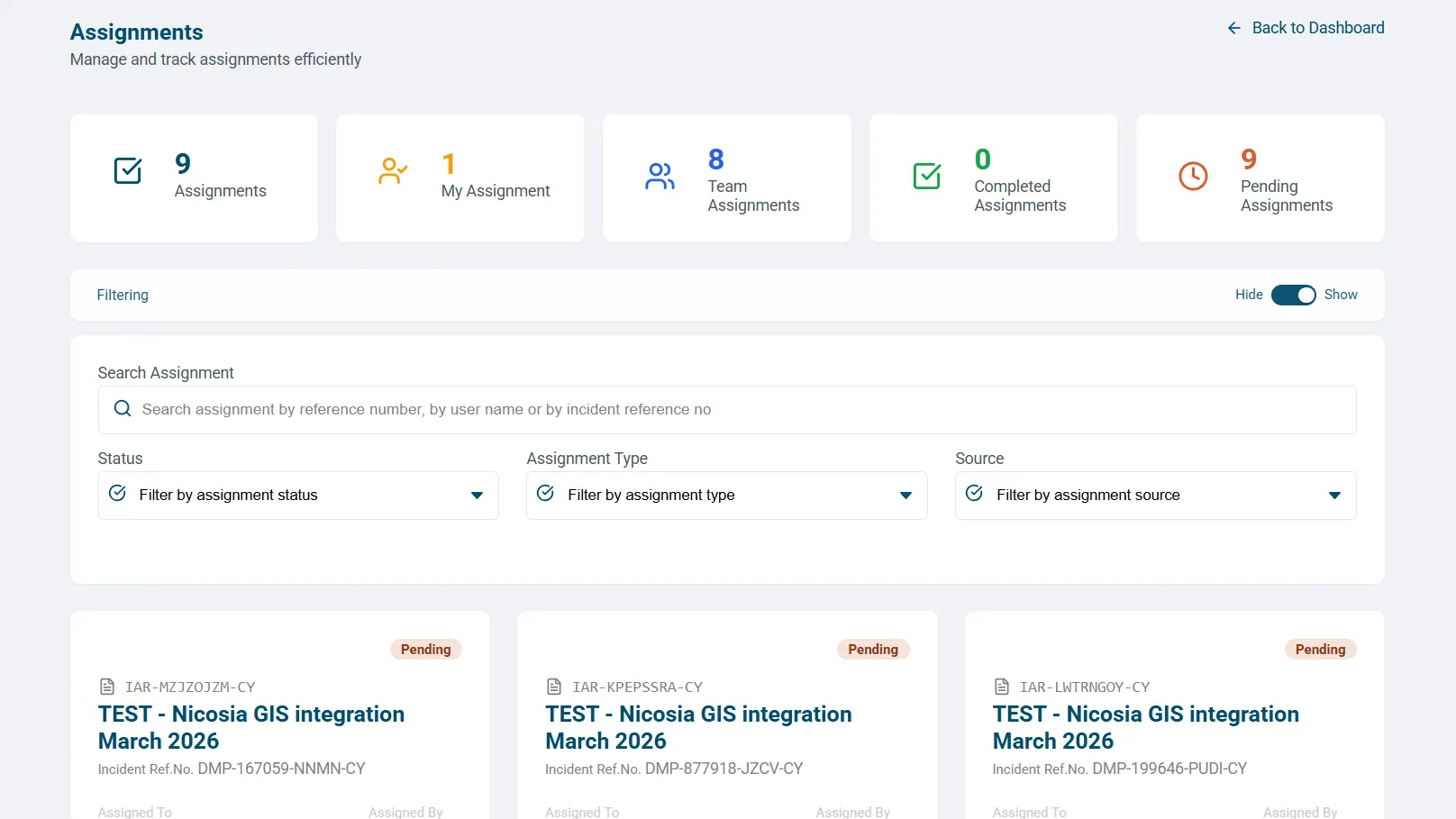
- Review Status, Assignment Type, and Source. Assignment Type includes Assigned to Me and Assigned by Me; Source includes Internal Assignment and External Assignment.
- Check the project, incident reference, assignee, assigner, and assignment date, then select View Details.
- Review Assignee Information, Assignment Details, Incident Information, and Assignment Report. Check status, Read At, and Completed At, where shown.
- Select Incident Page for the full record. Incident Details opens a summary, and Download Assignment provides the assignment docume
- After carrying out the work, use the appropriate incident action to record the result.
If a record or action is unavailable
Check the filters, account, project membership, and permissions. Some actions may be disabled on the assignment detail page; check the full incident page.
Ask the coordinator to confirm the account linked to a missing assignment. Do not create a duplicate account to resolve an access mismatch.