Choose the right project role
Summary:
Match a team member’s access to the work they need to perform.
Before you start:
Identify whether the person needs to administer the project, coordinate work, or carry out incident tasks.
Choose the lowest level of access that supports the person’s responsibilities in the project.
Compare project roles
| Role | Use for | Access described |
| Admin | Project administration | Access project sections and information, edit content, manage users, and assign tasks and incidents. |
| Editor | Coordinating project work | Edit content, add editors or users, and assign tasks and incidents. Billing and project settings are excluded. |
| User | Incident tasks | Contribute to tasks or incidents. Billing, project settings, user management, and assigning work are excluded. |
Apply the role
- Identify the actions the team member needs to perform.
- Choose User, Editor, or Admin based on those responsibilities.
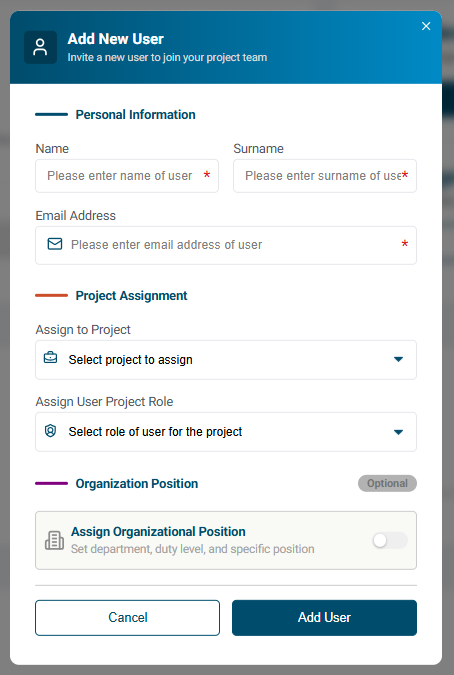
- Apply the role through the membership or user-management workflow.
- Review the saved project assignment.
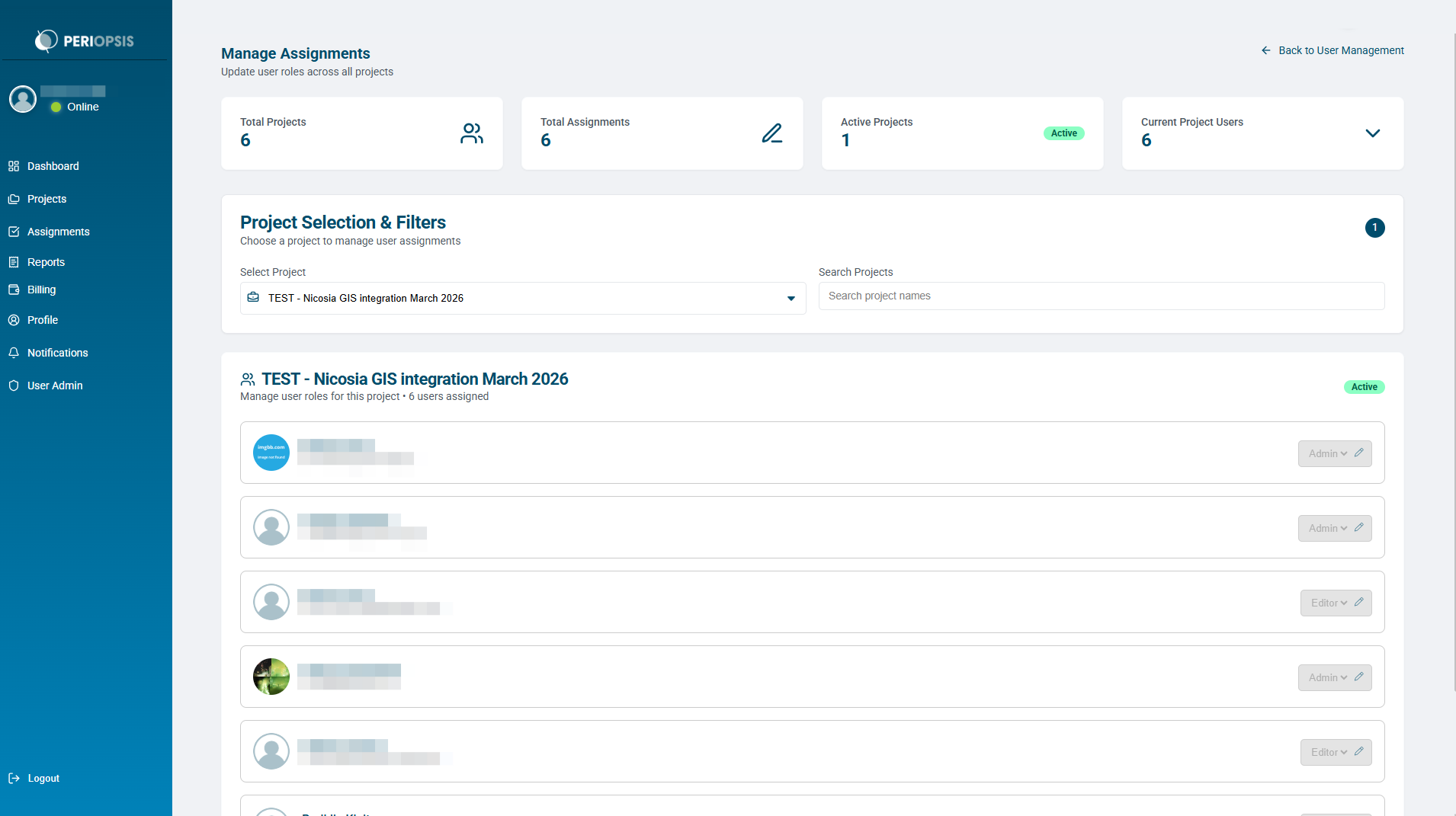
Review roles after staff or responsibility changes. Check the selected project and assigned role if a team member cannot find a needed control.