Coordinate a dumping collection
Summary:
Connect detection review, assignments, field investigation, and cleanup reporting.
Before you start:
Open the dumping project and confirm who will handle the work.
Plan and follow up the work
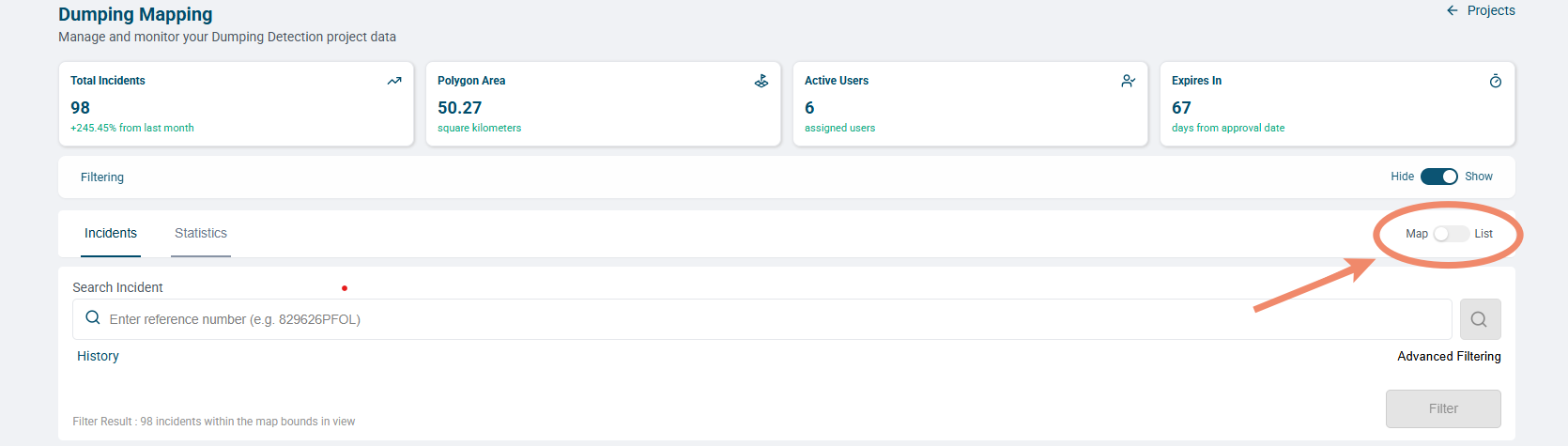
- Open Incidents. Use Map view to review locations and List to scan references and detection dates.
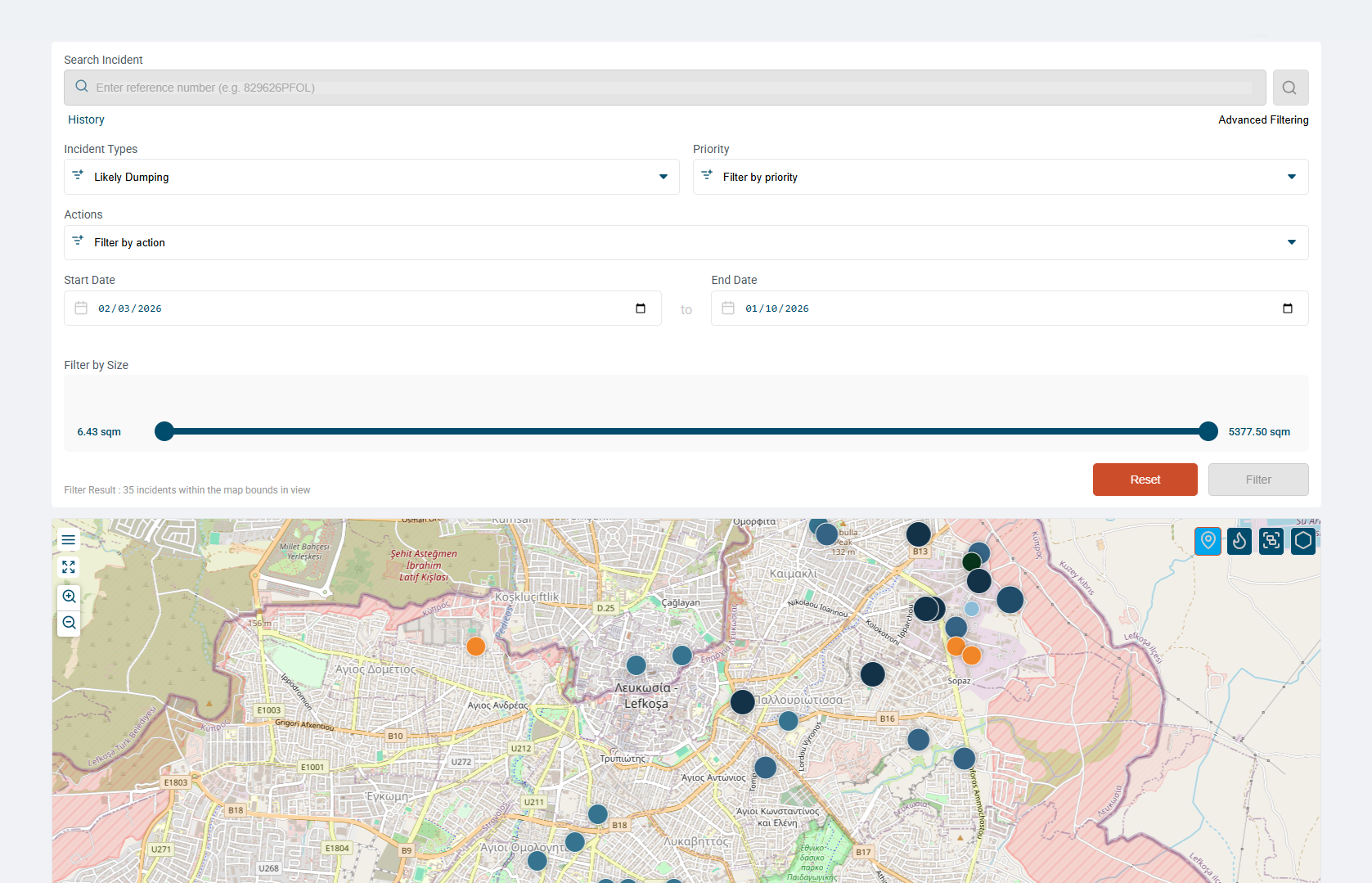
- Use Advanced Filtering to narrow results by type, action, date, and size. In map view, the count covers the visible map area.
- Open each relevant incident and review its evidence, dates, location, status, assignee, and notes.
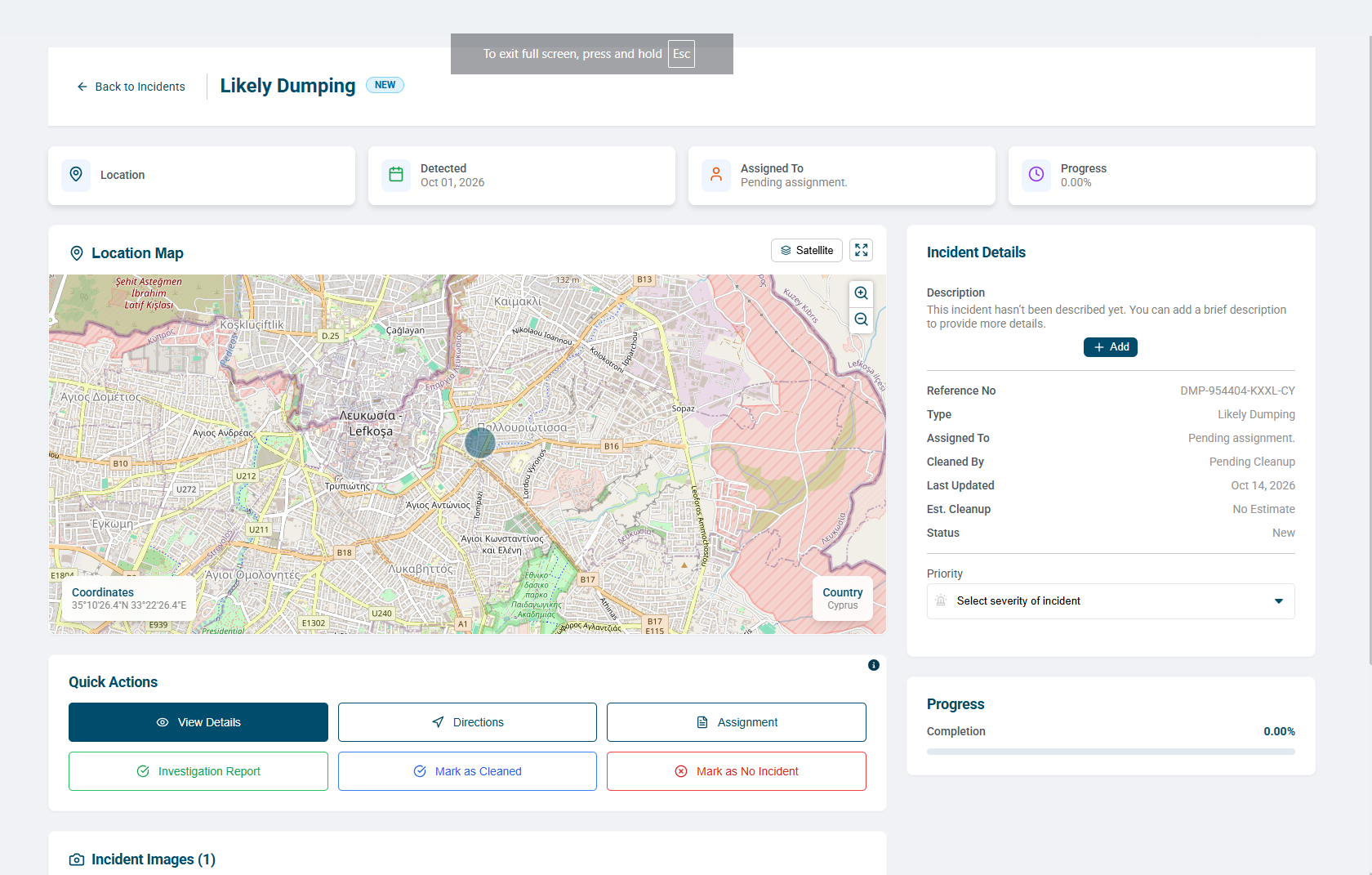
- Use Assignment to give a project user or external recipient the follow-up work and instructions.
- After an investigation, use Investigation Report to record findings. Select Visited when the site was physically visited, then review and send the report.
- After cleanup, select Mark as Cleaned, enter the actual date, and save the operation details.
- Review Assignments, Reports > Investigation, and Reports > Cleanup for follow-up. Use Statistics for an overview with the appropriate date scope.
Plan travel
The incident’s Directions panel offers driving, walking, and cycling profiles, alternative routes, and a starting location. Enter coordinates in longitude, latitude order. Check the start and destination before requesting directions.
Nearby map locations can help with planning, but do not establish an optimized route with multiple stops. Record investigation, assignment, and cleanup outcomes separately.