Find investigation and cleanup reports
Summary:
Find reports across your projects in the investigation and cleanup report lists.
Before you start:
Identify whether you need investigation findings or a cleanup report.
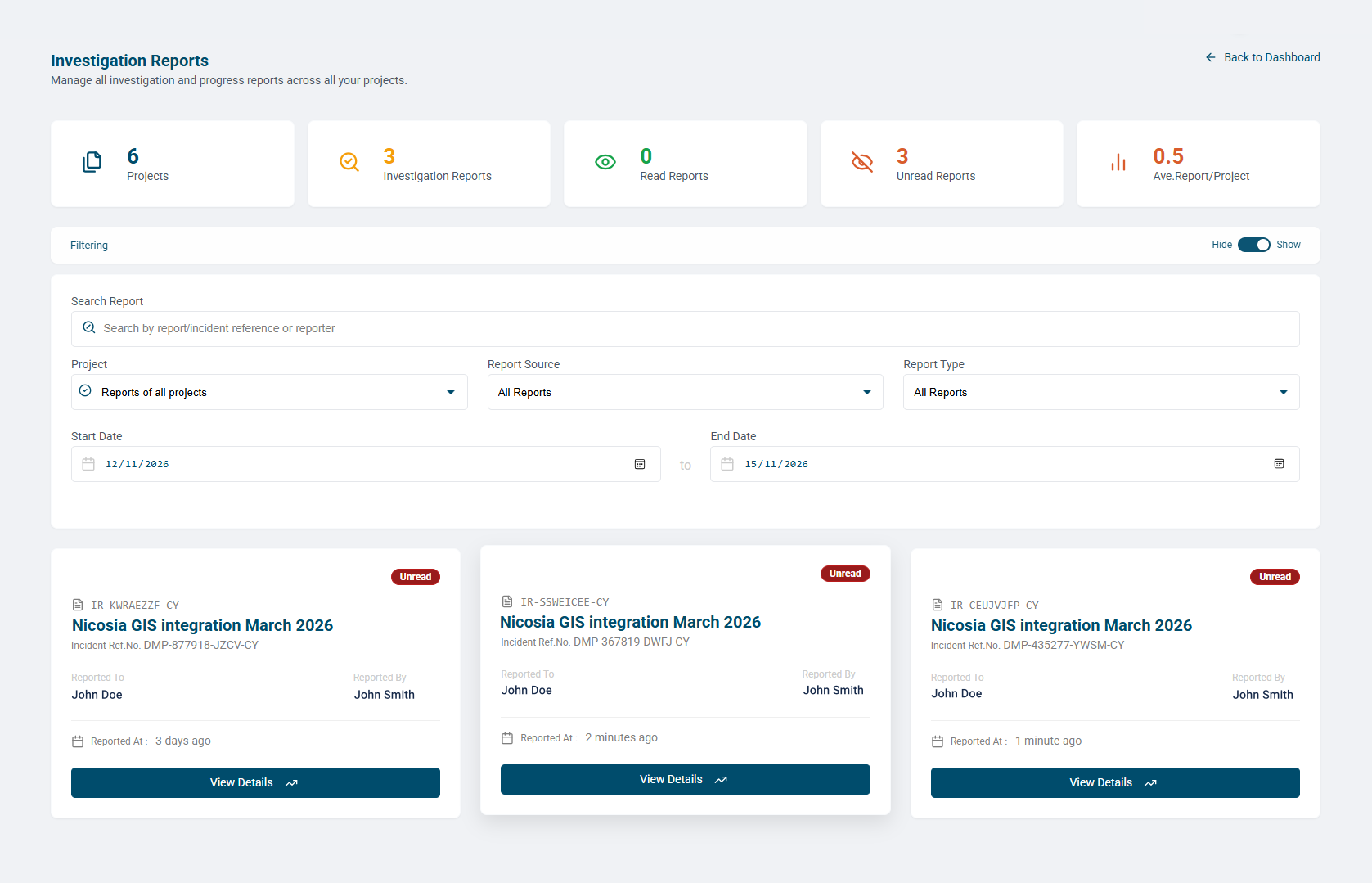
Find an investigation report
- Open Reports > Investigation.
- Review the summary and project selection.
- Use Search Report and Project, where available.
- Use Report Source for internal or external reports and Report Type for reports sent to you or created by you.
- Check Start Date and End Date, then review matching records.
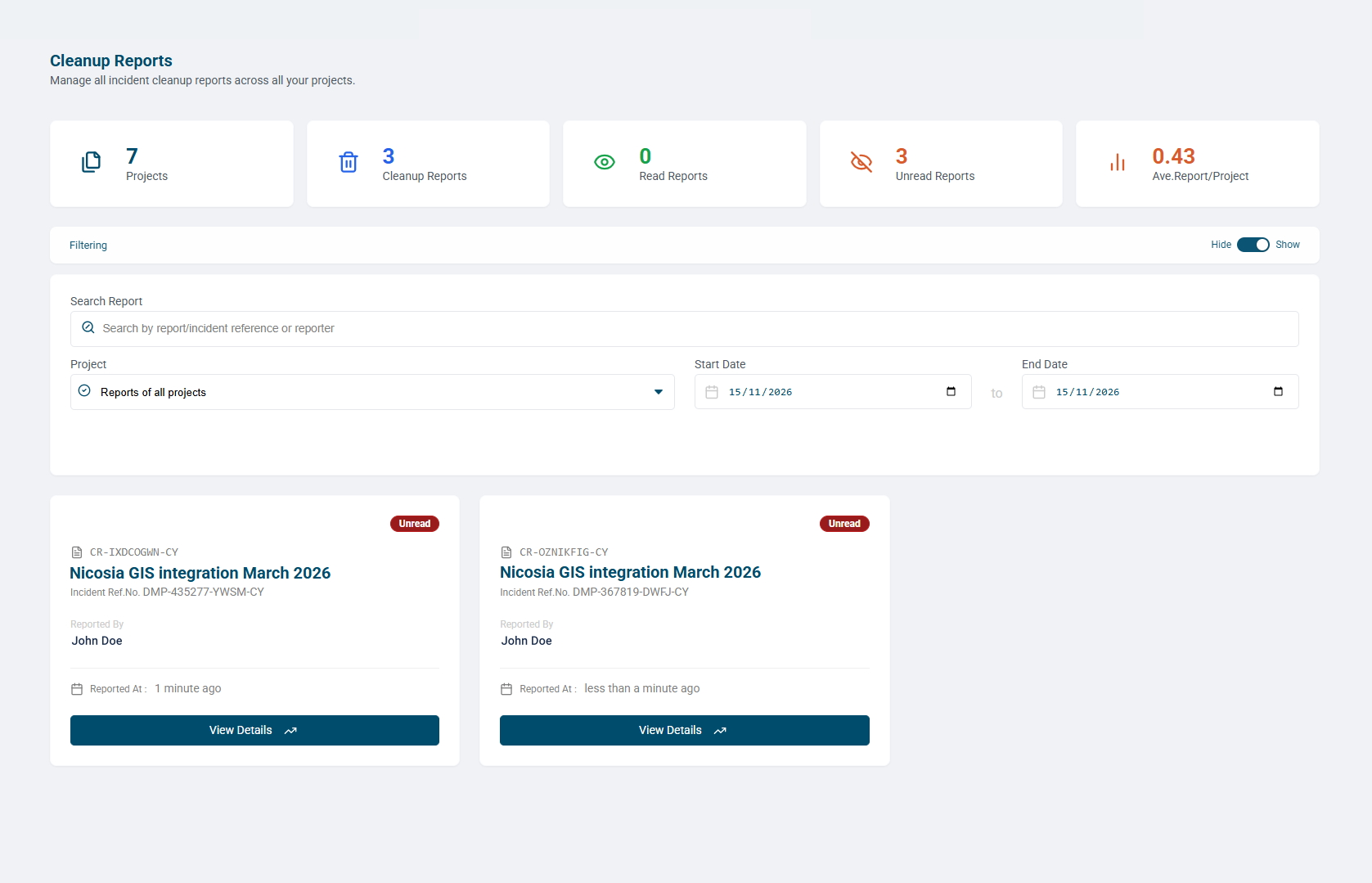
Find a cleanup report
- Open Reports > Cleanup.
- Use Search Report, review Project, and check the date range.
- Find the record associated with the incident and review the available information.
If no reports match
Check the project, date range, source, and report type. Confirm that the report was submitted and that you have access. Opening and closing a report form does not create a report.
Report, assignment, and incident counts refer to different records. Use the incident reference to locate related work.